Skip to content
DMX Engineering Webservers • Direct local control • Field firmware and configuration tools
FOR DMX ENGINEERING WEBSERVER-EQUIPPED PRODUCTS
The device interface.
In your hand.
Control and configure supported products directly in the field. Carry firmware with you. Save the settings worth using again.
LOCAL FIRSTDevice control without internetAWS CONNECTEDFirmware and data library when online
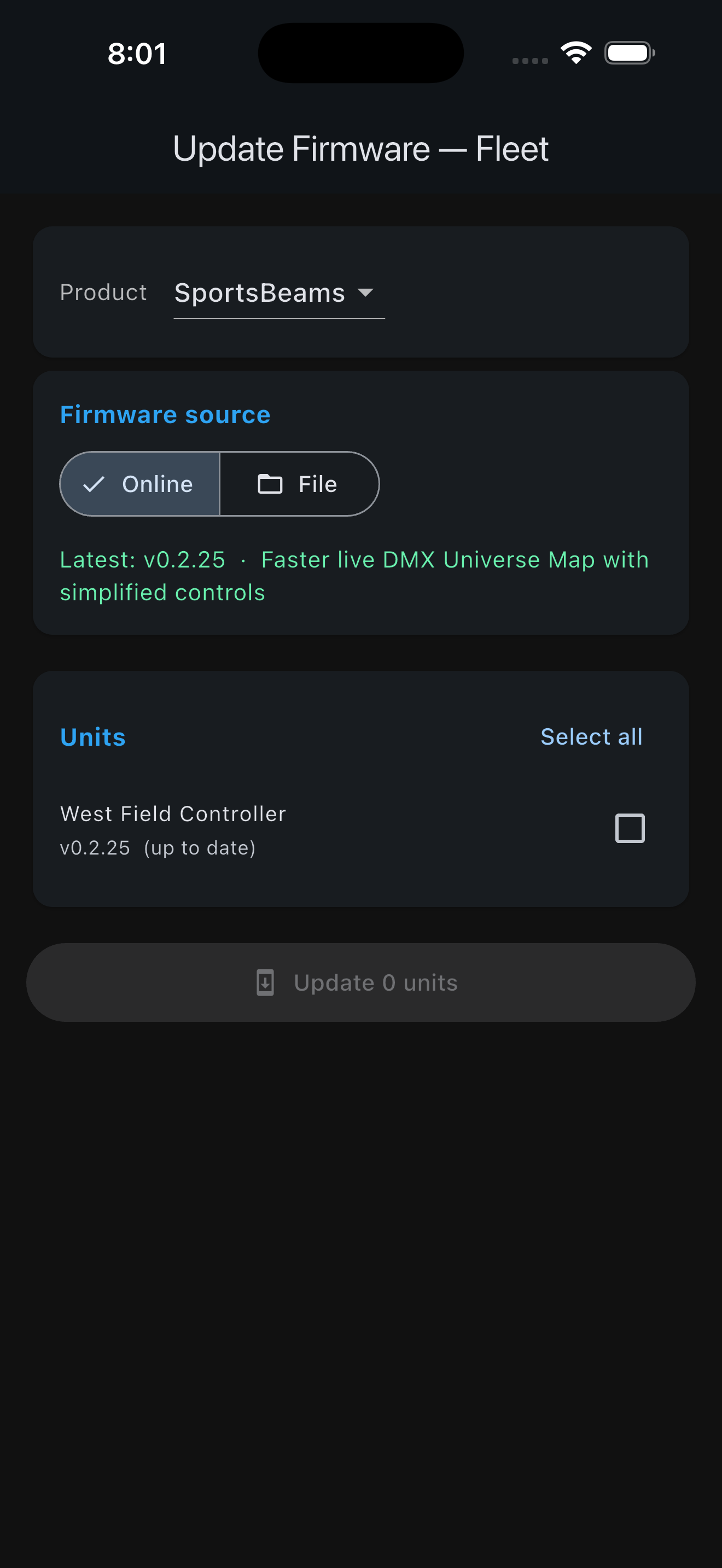
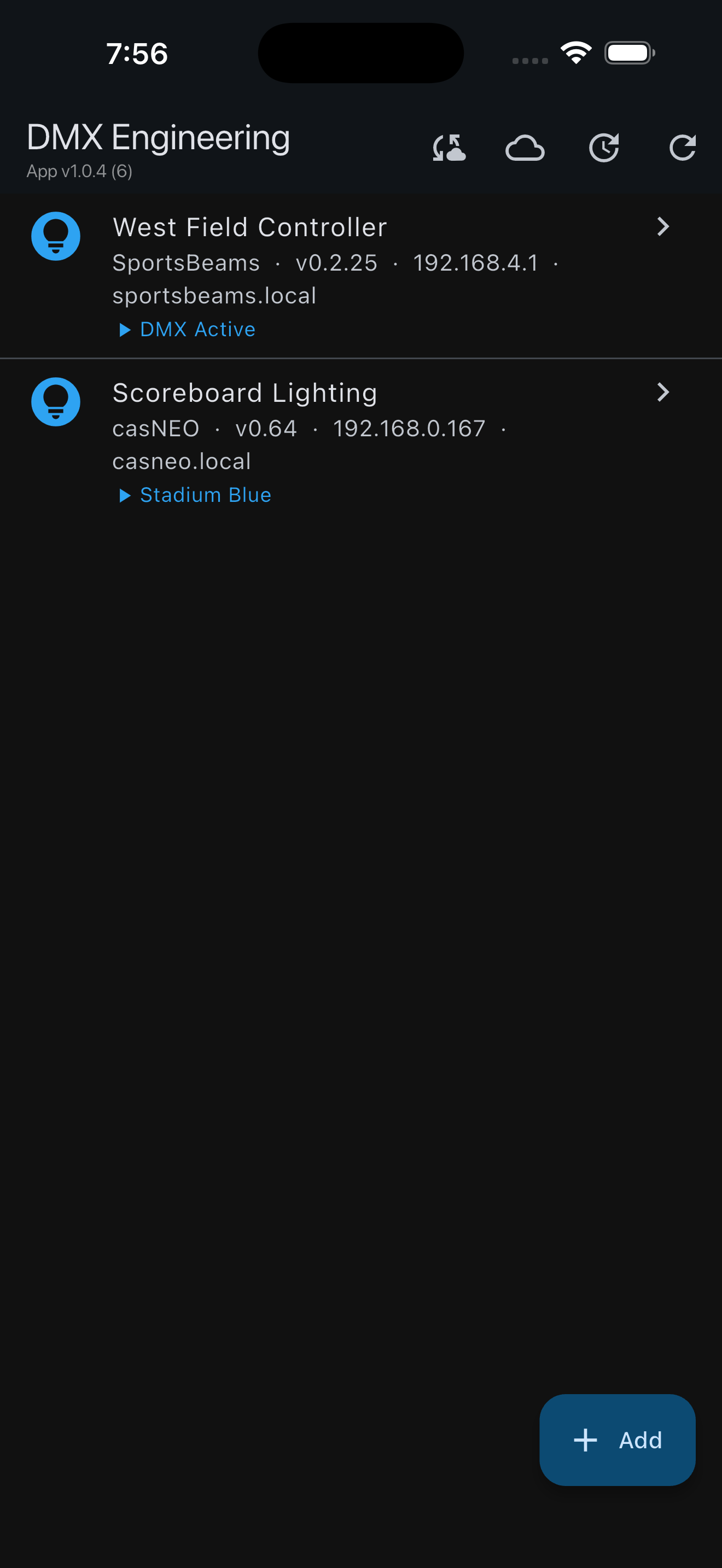
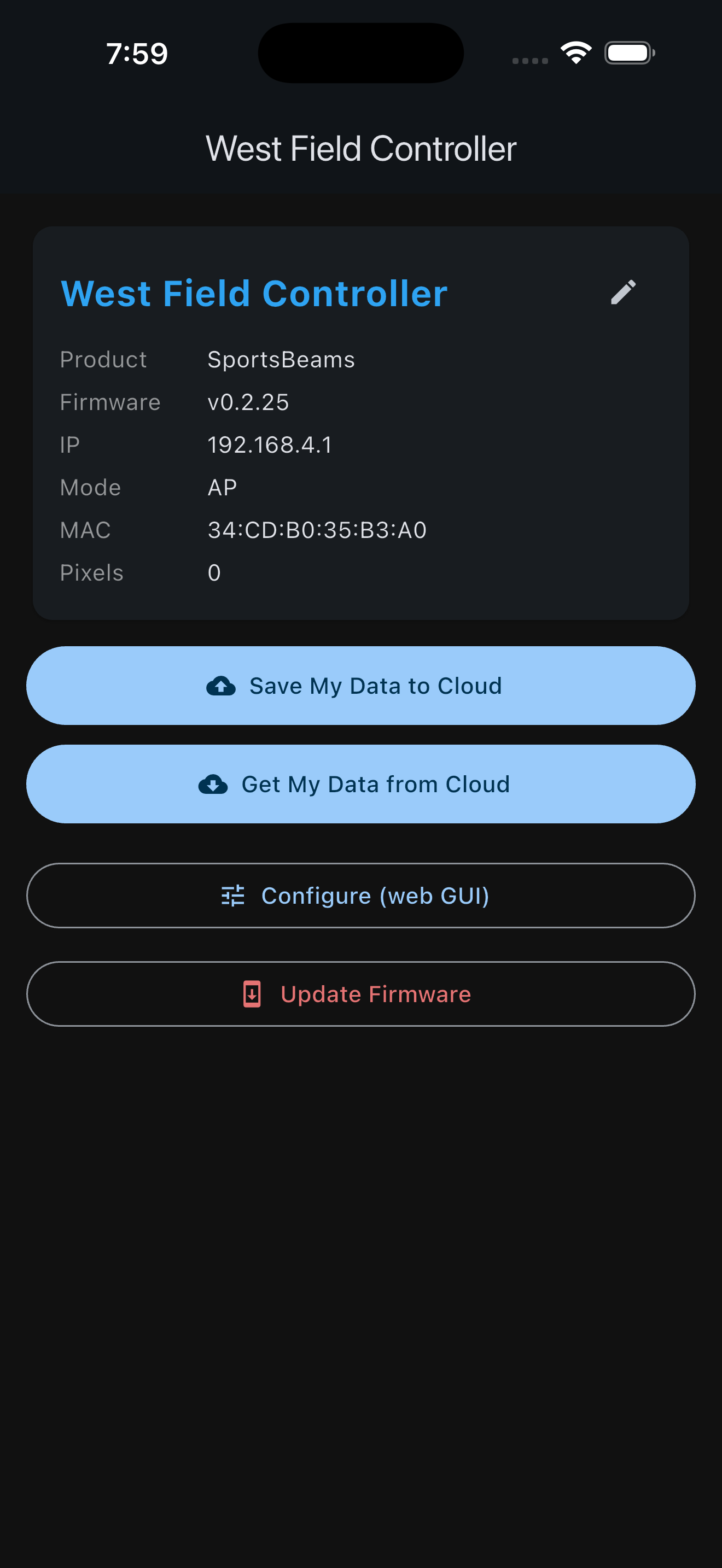 DIRECT DEVICE ACCESSAWS LIBRARY
Use the path
the jobsite allows.
01 / AT THE DEVICEDirect local Webserver access
Connect to a supported product through its available local connection, discover it on local Wi-Fi or enter its IP address. Open the complete embedded interface inside the app.
- Control and configuration
- No internet required
- No customer-LAN dependency
02 / WHEN ONLINEDMX Engineering AWS service
Use the app’s online connection to retrieve approved firmware and move reusable device data between the field and the DMX Engineering cloud library.
- Retrieve firmware releases
- Save configuration data sets
- Retrieve data for another device
Connect. Work. Carry it forward.
- 1
PREPAREDownload before the truck rolls.
Retrieve the required firmware and saved data sets through the DMX Engineering AWS service while you have internet access.
- 2
CONNECT LOCALLYOpen the product’s own Webserver.
Use the app to reach the supported device directly—even when the jobsite has no Wi-Fi or the customer will not allow it on their network.
- 3
CONTROL + DFUConfigure or update in place.
Operate the full device interface, apply settings and perform firmware updates from files already carried on the phone.
- 4
REUSESave the work worth repeating.
When online again, store useful device data sets and retrieve them later to accelerate another installation.
THE DMX ENGINEERING AWS LIBRARY
Firmware and field-proven settings, ready when needed.
The online service extends the local app without replacing it. Prepare files before a visit, bring them to an offline controller, then save reusable work after commissioning.
Get app updates ↗FIRMWARERetrieve approved releases
Download firmware to the phone, keep it available for the field visit, and perform DFU locally at the device.
DATA SETSSave and retrieve configurations
Store reusable product data, retrieve it later, and use it as the starting point for another supported controller.
EXAMPLE · casNEO
Move one animation.
Or move the whole setup.
casNEO shows the value of the app clearly: creative work and commissioning choices can travel with the technician instead of remaining trapped in one controller.
ANIMATIONSave a single look
Save and retrieve an individual animation data set when one effect is all you need to carry forward.
COMPLETE CONFIGURATIONCopy the full device setup
Save the complete casNEO settings data set, retrieve it later and use it to simplify configuration of another unit.
FIRMWARE / DFUBring the update with you
Retrieve firmware while online, retain it in the app and update casNEO locally at the jobsite.
Explore the full casNEO experience ↗